> For the complete documentation index, see [llms.txt](https://library.zoom.com/llms.txt). Markdown versions of documentation pages are available by appending `.md` to page URLs; this page is available as [Markdown](https://library.zoom.com/business-services/zoom-contact-center/expert-insights/configuring-agent-occupied-rules/implementation-best-practices.md).
# Implementation Best Practices
### Define Your Business Requirements
Before configuring rules, determine what omnichannel means for your operation:
**Key Questions**:
* Which channels should count toward an agent being considered busy or occupied?
* Should certain channels (e.g., voice/video) always take priority over others (e.g., messaging, email)?
* Should channel occupancy be evaluated independently per channel, or combined across multiple channels?
* Are your agents capable of handling messaging engagements while on voice calls, or would this multitasking compromise the quality of customer service they provide?
Your rules should reflect actual service standards, not just technical capabilities. Consider customer experience impact alongside agent efficiency.
### Use Templates for Consistency
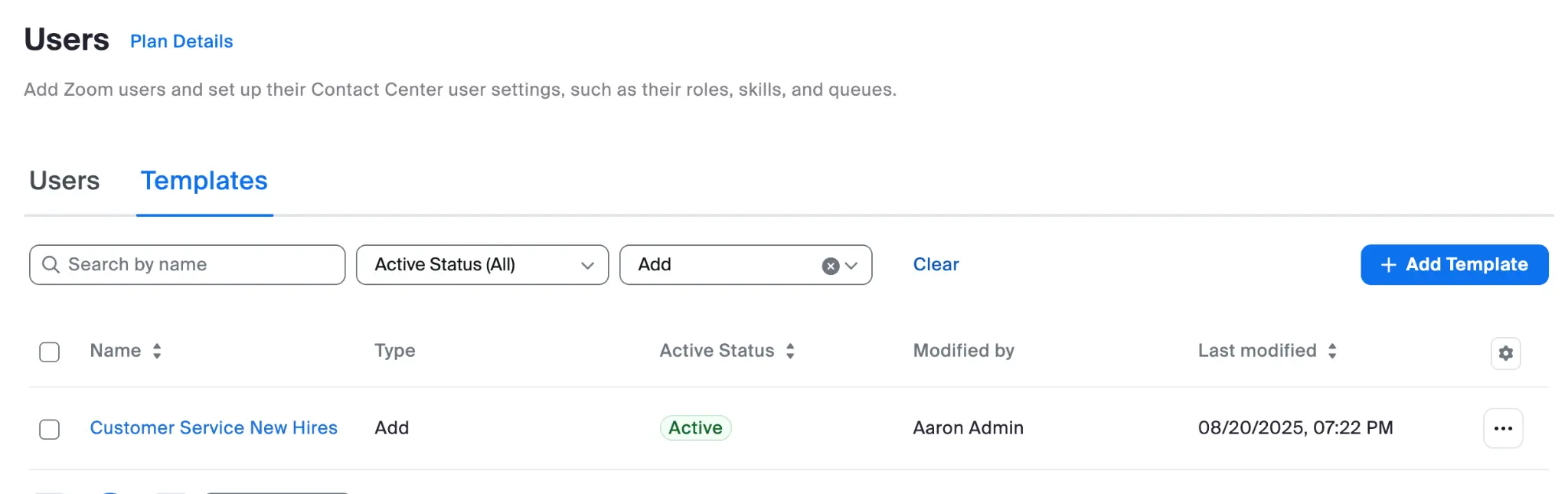
Create User Templates for different agent roles that include:
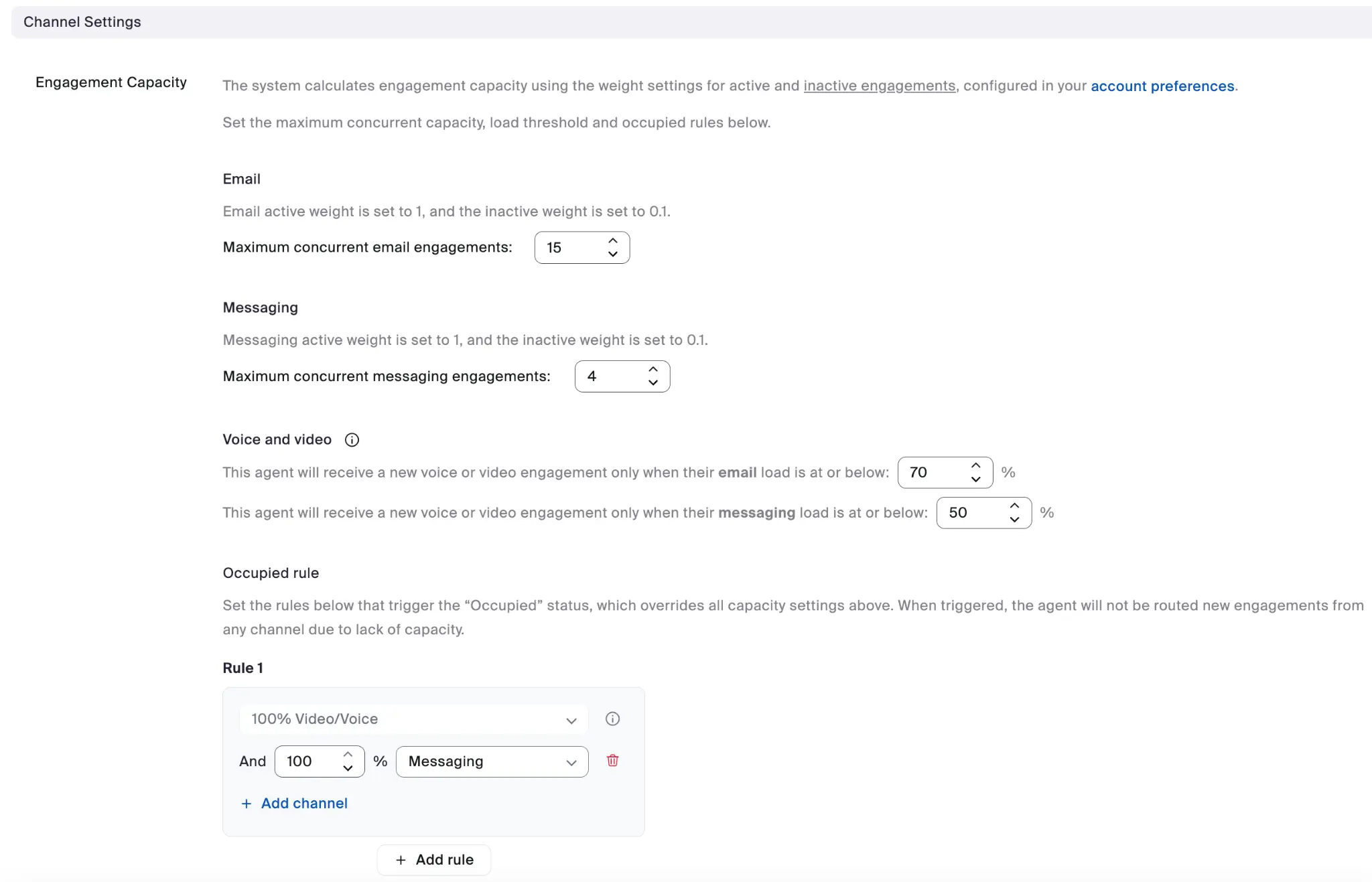
* Appropriate Engagement Capacity settings for each channel
* Occupied Rules configuration
* Consistent application across similar roles
#### New Hire Template Example
#### Channel Settings Example
Each user template can specify the full channel settings engagement capacity configuration.
The benefits of using templates include:
* Consistent configuration across agent groups
* Simplified onboarding for new agents
* Makes bulk updates easier when business needs change
---
# Agent Instructions
This documentation is published with GitBook. GitBook is the documentation platform designed so that both humans and AI agents can read, navigate, and reason over technical content effectively. Learn more at gitbook.com.
## Querying This Documentation
If you need additional information that is not directly available in this page, you can query the documentation dynamically by asking a question.
Perform an HTTP GET request on the current page URL with the `ask` query parameter, and the optional `goal` query parameter:
```
GET https://library.zoom.com/business-services/zoom-contact-center/expert-insights/configuring-agent-occupied-rules/implementation-best-practices.md?ask=&goal=
```
`ask` is the immediate question: it should be specific, self-contained, and written in natural language.
`goal` is optional and describes the broader end goal you are ultimately trying to accomplish on behalf of the user. GitBook uses it to tailor the answer towards what is most useful for that goal.
The response will contain a direct answer to the question and relevant excerpts and sources from the documentation.
Use this mechanism when the answer is not explicitly present in the current page, you need clarification or additional context, or you want to retrieve related documentation sections.