> For the complete documentation index, see [llms.txt](https://library.zoom.com/llms.txt). Markdown versions of documentation pages are available by appending `.md` to page URLs; this page is available as [Markdown](https://library.zoom.com/business-services/zoom-contact-center/expert-insights/configuring-agent-occupied-rules/configuration-examples.md).
# Configuration Examples
The following examples demonstrate how to configure Occupied Rules in your Zoom Contact Center account.
### Single Channel Occupied Rules
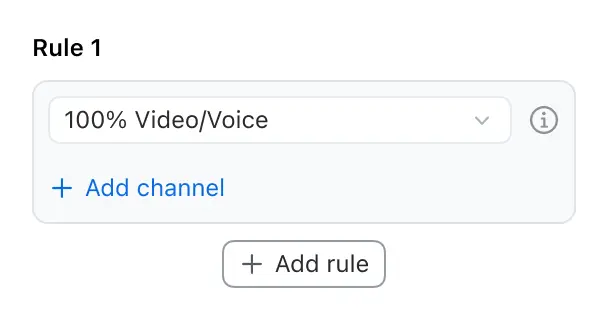
In this example, we configure only the voice/video channel in the Occupied Rules. With this configuration, agents will enter the Occupied state exclusively when handling a voice call or a video call. All other communication channels will not trigger the Occupied state for the agent.
#### Voice/Video Configuration Example
{% hint style="success" %}
Rule: agent becomes occupied when handling one voice call or one video call.
Result: agent cannot receive any new engagements (from any channel) while on a voice or video call.
{% endhint %}
### Multi-Channel Individual Rules
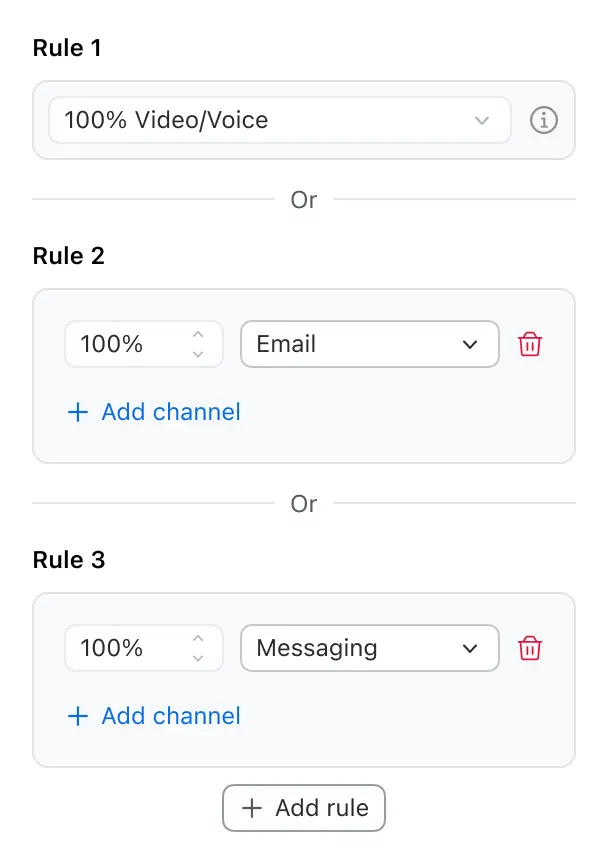
In this example, we configure the Occupied Rules for three separate channels: voice/video, email, and message. Each channel has its own independent rule. With this configuration, agents will enter the Occupied state whenever any of these three rules are matched. This approach allows each channel to trigger the Occupied state independently, creating three distinct scenarios in which an agent can become occupied.
#### Separate Channel Limits Example
{% hint style="success" %}
Rule 1: Occupied when handling 1 voice call or video call
Rule 2: Occupied when email channel load is at 100%
Rule 3: Occupied when messaging channel load is at 100%
{% endhint %}
### Multi-Channel Concurrent Rules
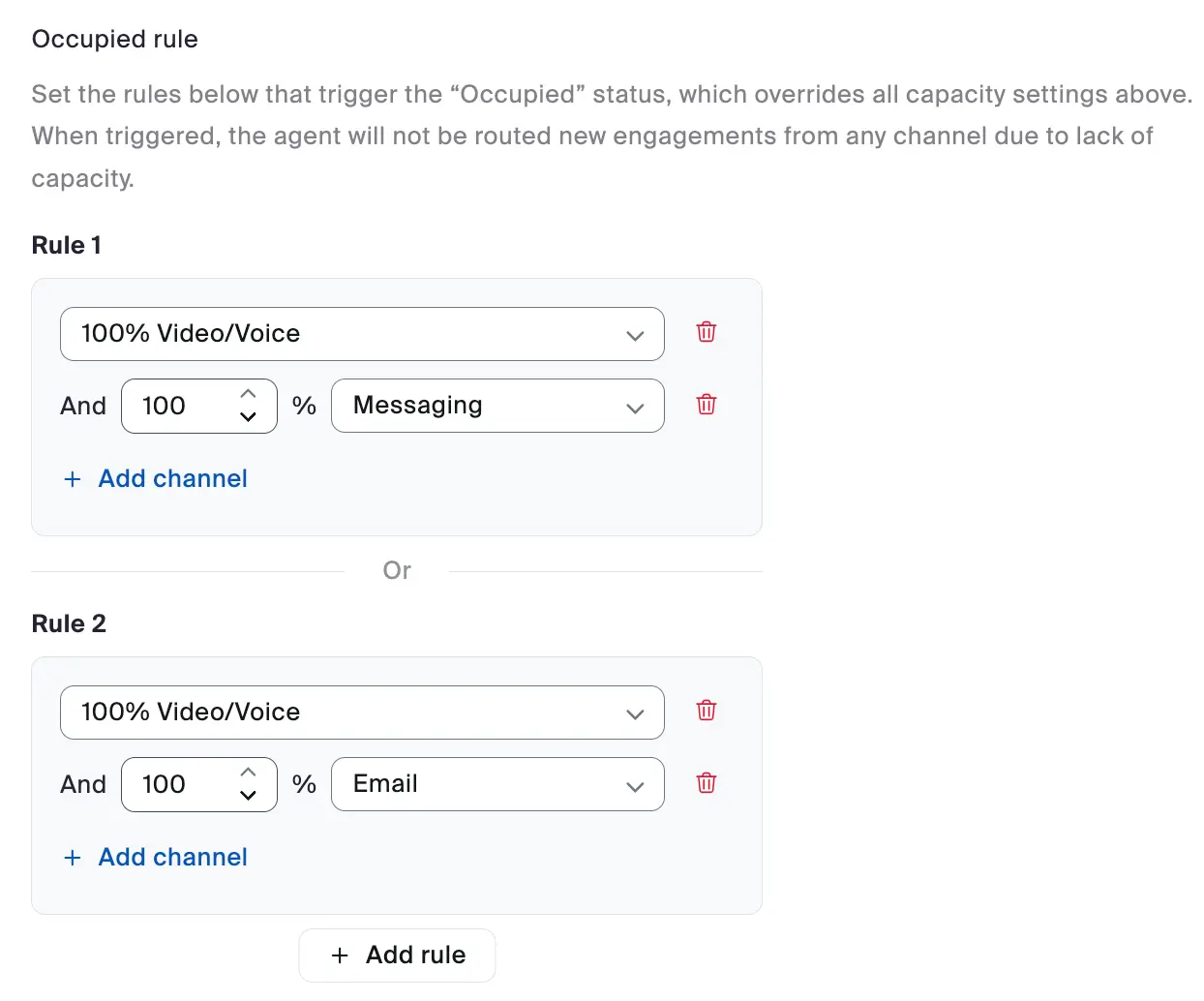
In this example, we configure Occupied Rules for voice/video, email, and message channels using a multi-channel approach. Instead of creating separate rules for each channel, we combine multiple channels within each rule. The configuration consists of two rules, with each rule containing multiple channel conditions. For an agent to become occupied, they must match ALL conditions within ANY single rule. This approach provides more flexible control over when agents are considered occupied across different communication channels.
#### Combination Configuration Example
This flexibility allows organizations to optimize for their specific business needs—there is no universally "correct" configuration.
{% hint style="success" %}
Rule 1: agent becomes occupied when handling one voice or video call AND 100% messaging channel load
OR
Rule 2: agent becomes occupied when handling one voice or video call AND 100% email channel load
{% endhint %}
{% hint style="info" %}
When voice or video is included in a combination rule with other channels, it will not automatically set the agent’s state to Occupied when the agent is on a voice or video call. Instead, it waits until all rule conditions are met. This allows agents to continue handling messages or emails while on a voice or video session.
{% endhint %}
---
# Agent Instructions
This documentation is published with GitBook. GitBook is the documentation platform designed so that both humans and AI agents can read, navigate, and reason over technical content effectively. Learn more at gitbook.com.
## Querying This Documentation
If you need additional information that is not directly available in this page, you can query the documentation dynamically by asking a question.
Perform an HTTP GET request on the current page URL with the `ask` query parameter, and the optional `goal` query parameter:
```
GET https://library.zoom.com/business-services/zoom-contact-center/expert-insights/configuring-agent-occupied-rules/configuration-examples.md?ask=&goal=
```
`ask` is the immediate question: it should be specific, self-contained, and written in natural language.
`goal` is optional and describes the broader end goal you are ultimately trying to accomplish on behalf of the user. GitBook uses it to tailor the answer towards what is most useful for that goal.
The response will contain a direct answer to the question and relevant excerpts and sources from the documentation.
Use this mechanism when the answer is not explicitly present in the current page, you need clarification or additional context, or you want to retrieve related documentation sections.