> For the complete documentation index, see [llms.txt](https://library.zoom.com/llms.txt). Markdown versions of documentation pages are available by appending `.md` to page URLs; this page is available as [Markdown](https://library.zoom.com/technical-library/zh/shang-ye-ban-fu-wu/zoom-contact-center/zoom-customer-experience/analytics-and-reporting/zoom-workforce-management-reports.md).
# Zoom 劳动力管理报告
### **历史遵从报告**
历史遵从报告提供特定时间范围内座席遵从表现的摘要,每份报告最多可涵盖30天。
如果报告包含多天数据,初始将显示用户在指定时间范围内的平均遵从情况。主管可以展开用户的平均报告,并查看其每天的遵从情况。
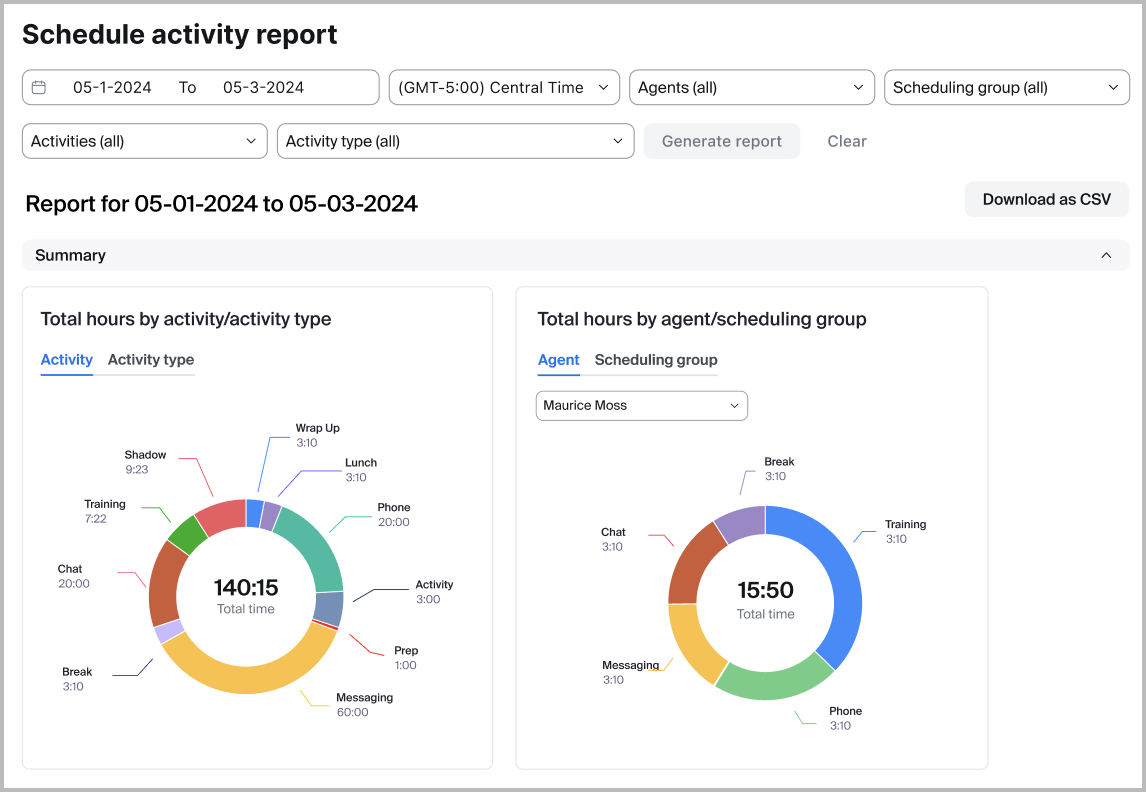
### **安排/定时发送活动报告**
安排/定时发送活动报告提供过去和未来日期已安排的座席活动的详细摘要,显示每项活动每天分配的时间。主管可以按个人、特定活动和安排群组筛选报告,以帮助确保适当的人员配置并维持服务水平。该报告还可以导出为 CSV,促进协作并对工作安排/定时发送进行全面审查,从而实现更好的资源管理和规划。
### **预测与实际报告**
主管可以在“预测与实际报告”中轻松比较所选期间的预测量与实际量、平均处理时长(AHD)和人员配置。该报告帮助团队发现差异并改进未来规划。数据可按日、周或月查看,并包含百分比差异。为进行更准确的人员配置比较,主管可以为短期预测设置班次时长,以计算每天的独立员工数。
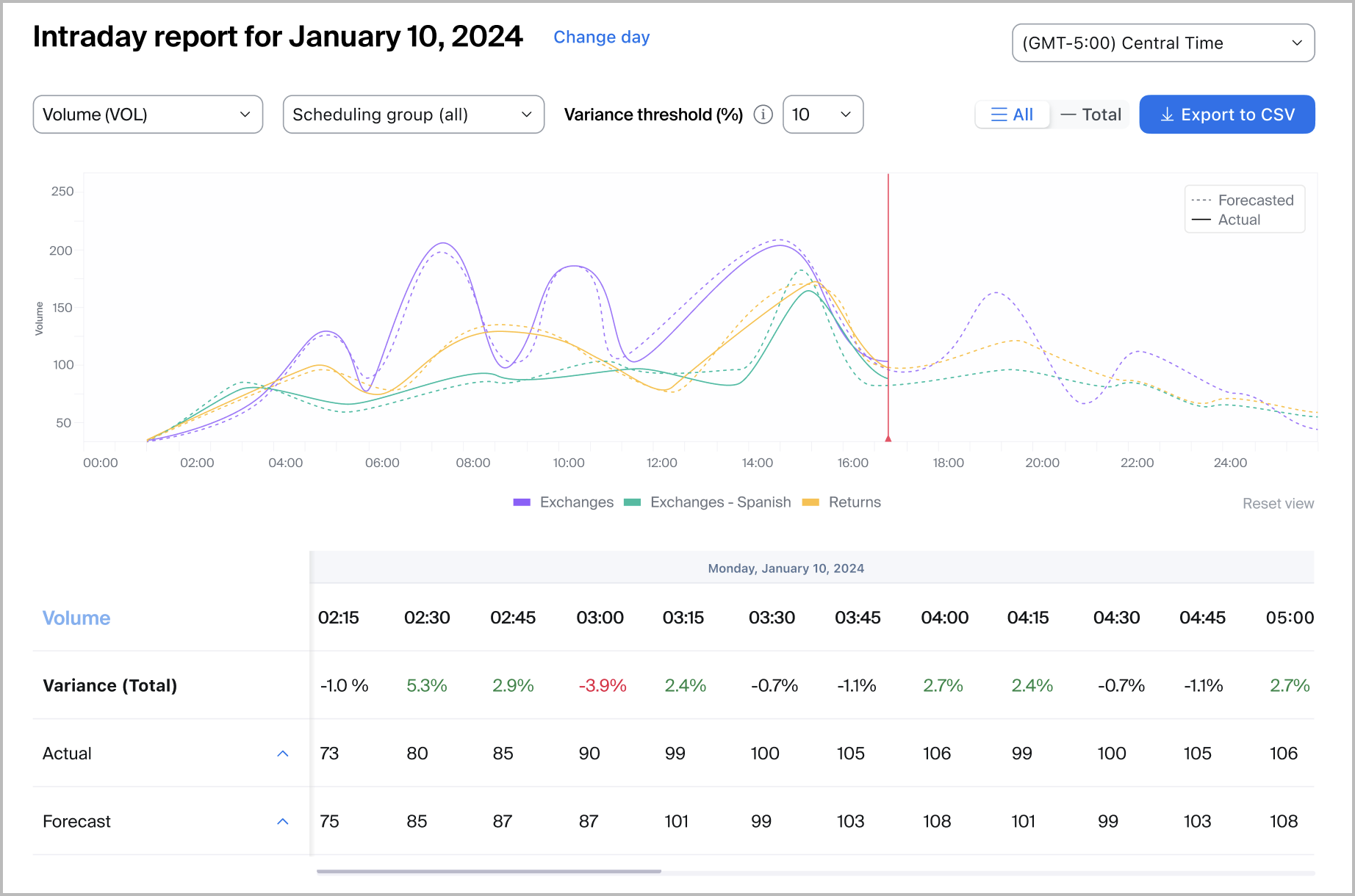
### **日内报告**
管理员和主管可以查看日内报告,将某个安排/定时发送的预测准确性与前一日或当日的参与量进行比较。这使主管能够识别预测差异,并在某天的参与量明显偏离预测时做出动态人员配置决策。
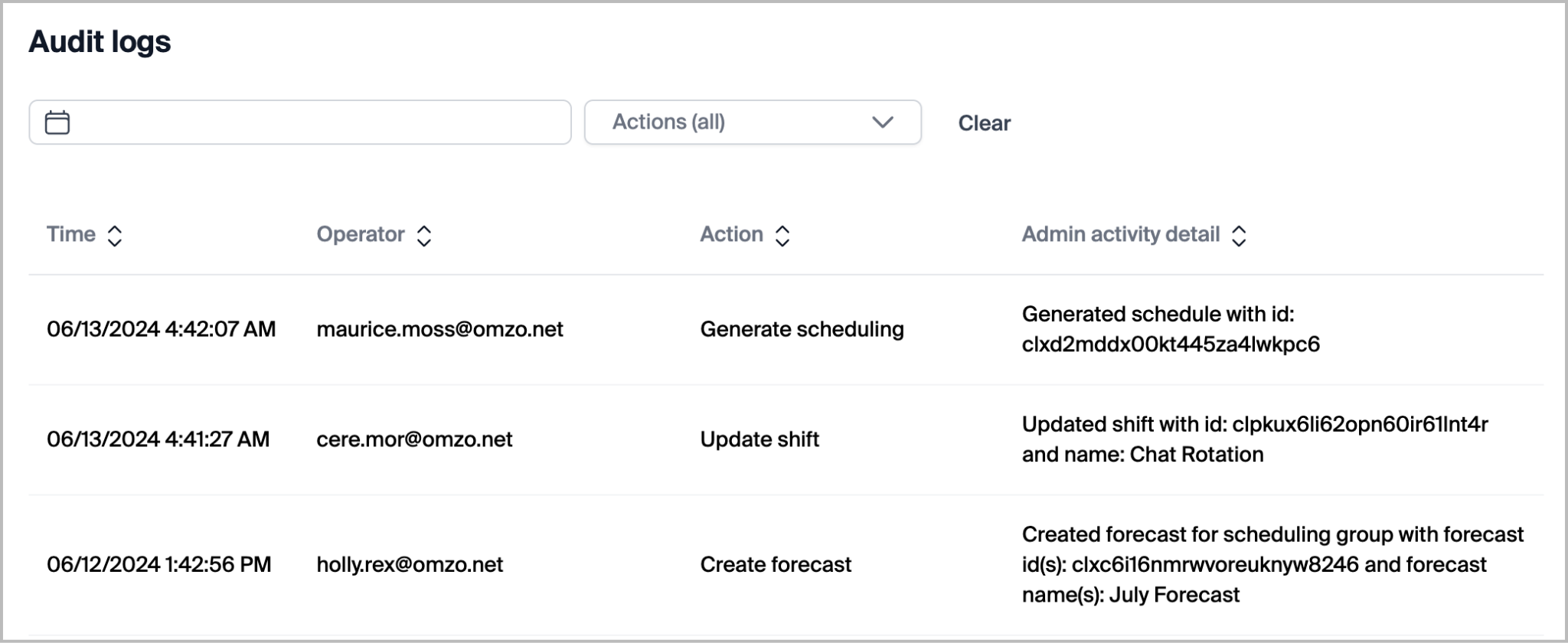
### **审计日志**
拥有足够权限的劳动力管理管理员和主管可以访问审计日志报告。该报告包含产品中由管理员、主管和用户执行的详尽操作列表。可访问审计日志的用户可以按日期或按执行的特定操作筛选。报告中包含的日志包括:
| - 取消座席安排/定时发送更改请求
- 取消休假请求
- 创建活动
- 创建座席安排/定时发送更改请求
- 创建预测
- 创建队列
- 创建安排群组
- 创建班次
- 创建休假请求
- 删除活动
- 删除预测
- 删除队列
- 删除安排群组
- 删除班次
- 删除未发布的安排/定时发送
- 复制安排/定时发送
| - 更改一周的第一天
- 生成安排
- 未激活的安排/定时发送
- 发布安排/定时发送
- 重新发布安排/定时发送
- 更新活动
- 更新座席安排/定时发送更改请求状态
- 更新队列
- 更新安排群组
- 更新安排群组座席
- 更新安排群组队列
- 更新班次
- 更新班次座席
- 更新状态映射
- 更新休假请求状态
|
| --------------------------------------------------------------------------------------------------------------------------------------------------------------------------------------------------------------------------------------------------------------------- | ------------------------------------------------------------------------------------------------------------------------------------------------------------------------------------------------------------------------------------------------------------------ |
---
# Agent Instructions
This documentation is published with GitBook. GitBook is the documentation platform designed so that both humans and AI agents can read, navigate, and reason over technical content effectively. Learn more at gitbook.com.
## Querying This Documentation
If you need additional information that is not directly available in this page, you can query the documentation by asking a question.
Perform an HTTP GET request on the following URL with the `ask` and `goal` query parameters:
```
GET https://library.zoom.com/technical-library/zh/shang-ye-ban-fu-wu/zoom-contact-center/zoom-customer-experience/analytics-and-reporting/zoom-workforce-management-reports.md?ask=&goal=
```
`ask` is the immediate question: it should be specific, self-contained, and written in natural language.
`goal` is what the user is ultimately trying to achieve, the reason they need the answer. Sharing it helps GitBook give you a better, more relevant answer. A goal is most helpful when it describes the outcome the user wants rather than restating the question. For example, with `ask=how do I create an API token`, a goal like `automate deployments from our CI pipeline` lets GitBook tailor the answer to that use case.
The response will contain a direct answer to the question and relevant excerpts and sources from the documentation.
Use this mechanism when the answer is not explicitly present in the current page, you need clarification or additional context, or you want to retrieve related documentation sections.