> For the complete documentation index, see [llms.txt](https://library.zoom.com/llms.txt). Markdown versions of documentation pages are available by appending `.md` to page URLs; this page is available as [Markdown](https://library.zoom.com/technical-library/zh/guan-li-yuan-zhuan-qu/third-party-integrations/integrating-zoom-with-microsoft-teams/the-zoom-assistant.md).

# Zoom 助手

本节概述 Zoom 助手的核心功能。

#### <mark style="color:蓝色;">Zoom 助手是一个紧凑、可停靠的小组件，可让用户几乎在桌面上的任何位置访问 Zoom Phone 的核心功能</mark>

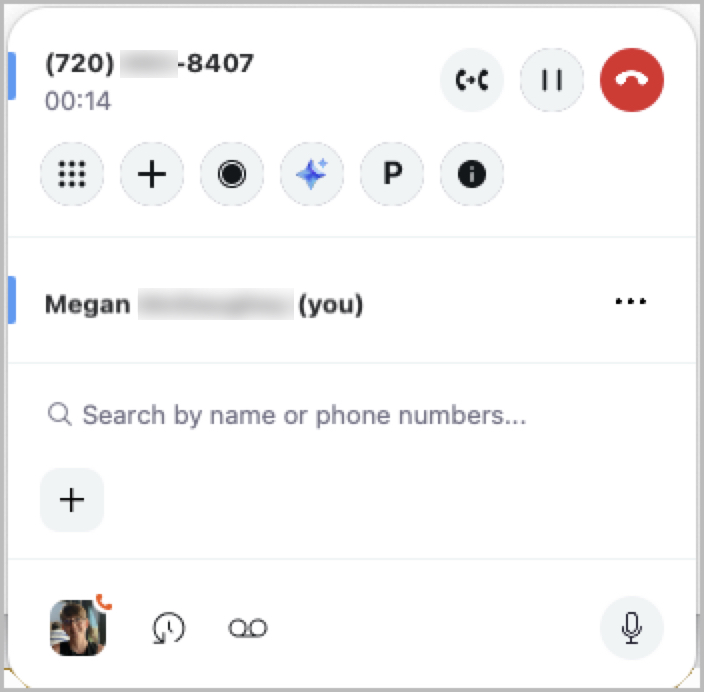
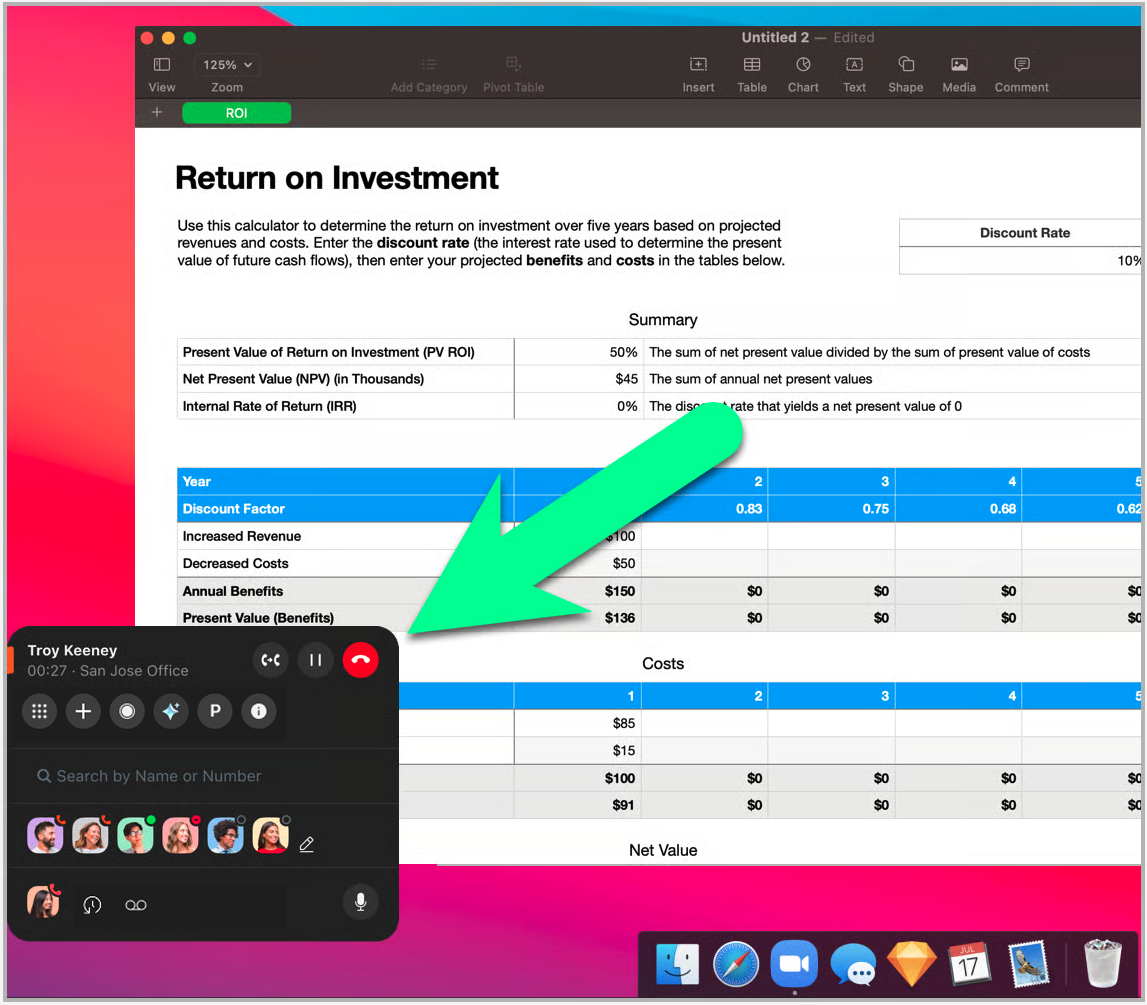
对于使用电脑工作的 Zoom Phone 专业版和客户互动包用户，Zoom 助手可提供极大的工作流灵活性。在通常情况下，用户 **如果没有** Zoom 助手或其他集成应用程序，则必须始终打开 Zoom 桌面客户端，才能执行各种与呼叫相关的功能，例如拨打外拨呼叫或开始录制。或者，用户 **如果使用** Zoom 助手，则会拥有一个紧凑、可停靠的小组件覆盖层，使他们无论打开了哪些应用程序，都能几乎在桌面上的任何位置执行以下任务：

<table data-header-hidden><thead><tr><th valign="top"></th><th valign="top"></th></tr></thead><tbody><tr><td valign="top"><p><strong>Zoom Phone</strong></p><ul><li>发起呼叫</li><li>接听呼叫</li><li>拨号键盘</li><li>联系人查找</li><li>快速拨号</li><li>录制呼叫</li><li>驻留呼叫</li><li>转接呼叫</li><li>合并呼叫</li><li>自我静音</li><li>打开呼叫历史<strong>*</strong></li><li>打开语音信箱<strong>*</strong></li></ul><p><br></p><p><strong>*使用时会打开 Zoom 客户端</strong></p></td><td valign="top"><p><strong>Zoom Phone（含客户互动包）</strong></p><ul><li>呼叫队列可见性</li><li>打开呼叫队列聊天<strong>*</strong></li><li>共享线路状态可见性</li><li>共享线路群组可见性</li><li>群组呼叫代接</li><li>呼叫队列加入/退出</li></ul><p><strong>联系人列表</strong></p><ul><li>从联系人卡片启动会议<strong>*</strong></li><li>从联系人卡片发起聊天<strong>*</strong></li><li>从联系人卡片发起电话呼叫<strong>*</strong></li><li>从联系人卡片发送短信<strong>*</strong></li></ul></td></tr></tbody></table>

<figure><img src="/files/153e11fa62de5d8946facfed932801c0c6d25160" alt=""><figcaption></figcaption></figure>

<figure><img src="/files/1faa27ab06b1332d26e306e5876c0fc4e0f18d91" alt=""><figcaption></figcaption></figure>

#### <mark style="color:蓝色;">Zoom 助手是 Zoom 桌面客户端的扩展，而不是额外的应用程序或集成</mark>

Zoom 助手包含在 Zoom 桌面客户端的安装文件中，不需要任何集成或附加包。不过，用户在启用之前无法使用 Zoom 助手 [适当位置](https://support.zoom.com/hc/en/article?id=zm_kb\&sysparm_article=KB0058042). 启用后，用户即可立即开始使用该功能。

#### <mark style="color:蓝色;">要使用 Zoom 助手，Zoom 桌面客户端必须在后台运行</mark>

Zoom 助手作为 Zoom 桌面客户端的扩展运行，需要 Zoom 客户端在后台运行，才能访问和使用该小组件。需要注意的是，Zoom 桌面客户端界面无需打开；但是，应用程序的核心进程必须正在运行。

{% hint style="info" %}
**注意**

在此上下文中，“在后台运行”意味着 Zoom 客户端在任务管理器或活动监视器等程序中可见地运行。即使用户从未看到主客户端界面，启动时静默启动 Zoom 应用程序也算作“在后台运行”。
{% endhint %}

#### <mark style="color:蓝色;">Zoom 助手可以悬浮在桌面上，也可以停靠在屏幕的任一侧</mark>

您可以选择让 Zoom 助手悬浮在桌面上，或者将该小组件拖到屏幕所需的一侧进行停靠，从而根据需要实现灵活的工作流。

<figure><img src="/files/a50b42241a8b915757aef50b0a9c0af61eb2557d" alt="" width="263"><figcaption></figcaption></figure>

#### <mark style="color:蓝色;">除非您正在进行有效呼叫，否则 Zoom 助手会隐藏起来</mark>

在 Zoom 桌面客户端中启用 Zoom 助手后，除非您正在进行有效呼叫，或者将其移动为桌面悬浮，否则该小组件默认会停靠在桌面上。

例如，如果 Zoom 助手小组件未与呼叫一起处于活动状态，Zoom 助手将会以停靠模式隐藏起来。当您正在进行有效呼叫时，Zoom 助手会悬浮到桌面上，并保持视觉优先级，即使您正在使用其他应用程序也是如此。您可以在有效呼叫期间手动将其停靠，但若要使用 Zoom 助手小组件中提供的功能，必须先取消停靠。呼叫结束后，Zoom 助手会自动停靠。如果您移动过 Zoom 助手，则需要手动将其停靠。

#### <mark style="color:蓝色;">停靠时，小组件会略微向内延伸，并在与之交互或有有效呼叫时自动展开</mark>

停靠时，Zoom 助手会略微向内延伸以增强可见性，并带有彩色丝带指示器。以下图片展示了处于停靠且未激活状态的小组件，与存在有效呼叫或正在与小组件交互时的可见差异。\\

![](/files/939e2ed79b767343f0c416dc6db08dfffa19b5c5) ![](/files/96618a61c53f5f67cfe9451416dd0b1bbb063f6f)

#### <mark style="color:蓝色;">Zoom 助手可与 Zoom 的 Microsoft Teams 应用内集成配合使用，并可简化 Zoom Phone 用户的工作流</mark>

对于 Zoom Phone 用户而言，Zoom 助手是 Zoom 的 Microsoft Teams 应用内集成的绝佳搭档。借助 Zoom 助手，Zoom Phone 用户可以在小组件内执行大多数电话功能，无需在大多数情况下打开 Teams 客户端中的集成，或打开 Zoom 桌面客户端。此外，由于该小组件始终可在桌面上使用，用户无论正在操作哪个程序，都拥有工作流灵活性。

#### <mark style="color:蓝色;">用户可以完成</mark> *<mark style="color:蓝色;">大部分</mark>* <mark style="color:蓝色;">Zoom 助手与 Zoom 的 Microsoft Teams 应用内集成之间的常见任务</mark>

对于将 Zoom 的 Microsoft Teams 应用内集成与 Zoom 助手结合使用的账户，用户只需打开 Zoom 桌面客户端（即完整的 Zoom 客户端界面），即可完成有限的一组任务，这些任务通常仅限于加入 Zoom Meetings。建议读者重新查看两者的 [Teams 集成](/technical-library/zh/guan-li-yuan-zhuan-qu/third-party-integrations/integrating-zoom-with-microsoft-teams/zooms-in-app-integration-for-microsoft-teams.md#features-available-natively-within-the-teams-client) 和 [Zoom 助手](#the-zoom-assistant-is-a-compact-dockable-widget-that-provides-users-with-access-to-core-zoom-phone-f) 以帮助确保这些集成能够支持其用户的常见工作流。

#### <mark style="color:蓝色;">Zoom 助手需要 Zoom Phone 专业版许可证</mark>

下表概述了根据其 Zoom Phone 许可证分配，用户可在线使用哪些功能/特性。

<table><thead><tr><th valign="top">许可证</th><th valign="top">功能/特性</th></tr></thead><tbody><tr><td valign="top"><strong>Zoom Phone 基础版</strong></td><td valign="top"><ul><li>无法访问 Zoom 助手</li></ul></td></tr><tr><td valign="top"><strong>Zoom Phone 专业版</strong></td><td valign="top"><ul><li>Zoom 助手</li><li>电话拨号器</li><li>搜索</li><li>快速拨号</li><li>呼叫转接</li><li>电话历史记录</li><li>语音信箱</li></ul></td></tr><tr><td valign="top"><strong>带有客户互动包的 Zoom Phone 专业版</strong></td><td valign="top"><ul><li>Zoom Phone 专业版许可证的所有功能/特性</li><li>呼叫队列支持</li><li>群组呼叫代接支持</li><li>共享线路状态支持</li><li>共享线路群组支持</li></ul></td></tr></tbody></table>


---

# Agent Instructions
This documentation is published with GitBook. GitBook is the documentation platform designed so that both humans and AI agents can read, navigate, and reason over technical content effectively. Learn more at gitbook.com.

## Querying This Documentation
If you need additional information that is not directly available in this page, you can query the documentation dynamically by asking a question.

Perform an HTTP GET request on the current page URL with the `ask` query parameter, and the optional `goal` query parameter:

```
GET https://library.zoom.com/technical-library/zh/guan-li-yuan-zhuan-qu/third-party-integrations/integrating-zoom-with-microsoft-teams/the-zoom-assistant.md?ask=<question>&goal=<endgoal>
```

`ask` is the immediate question: it should be specific, self-contained, and written in natural language.
`goal` is optional and describes the broader end goal you are ultimately trying to accomplish on behalf of the user. GitBook uses it to tailor the answer towards what is most useful for that goal.

The response will contain a direct answer to the question and relevant excerpts and sources from the documentation.

Use this mechanism when the answer is not explicitly present in the current page, you need clarification or additional context, or you want to retrieve related documentation sections.