> For the complete documentation index, see [llms.txt](https://library.zoom.com/llms.txt). Markdown versions of documentation pages are available by appending `.md` to page URLs; this page is available as [Markdown](https://library.zoom.com/technical-library/technical-library-ar/khdmat-alaamal/zoom-contact-center/expert-insights/configuring-agent-occupied-rules/implementation-best-practices.md).
# أفضل ممارسات التنفيذ
### حدّد متطلبات عملك
قبل تكوين القواعد، حدّد ما يعنيه تعدد القنوات لعملياتك:
**الأسئلة الرئيسية**:
* أي القنوات يجب أن تُحتسب عند اعتبار العامل منشغلًا أو مشغولًا؟
* هل يجب أن تحظى قنوات معينة (مثل الصوت/الفيديو) بالأولوية دائمًا على غيرها (مثل إرسال الرسائل، البريد إلكتروني)؟
* هل يجب تقييم إشغال القناة بشكل مستقل لكل قناة، أم بشكلٍ مُجمَّع عبر قنوات متعددة؟
* هل يستطيع وكلاؤك التعامل مع تفاعلات إرسال الرسائل أثناء المكالمات الصوتية، أم أن هذا تعدد المهام سيؤثر في جودة خدمة العملاء التي يقدمونها؟
يجب أن تعكس قواعدك معايير الخدمة الفعلية، لا القدرات التقنية فحسب. ضع تأثير تجربة العميل في الاعتبار إلى جانب كفاءة الوكيل.
### استخدم القوالب لتحقيق الاتساق
أنشئ قوالب مستخدم لأدوار الوكلاء المختلفة تتضمن:
* إعدادات سعة التفاعل المناسبة لكل قناة
* تكوين قواعد الإشغال
* تطبيق متسق عبر الأدوار المماثلة
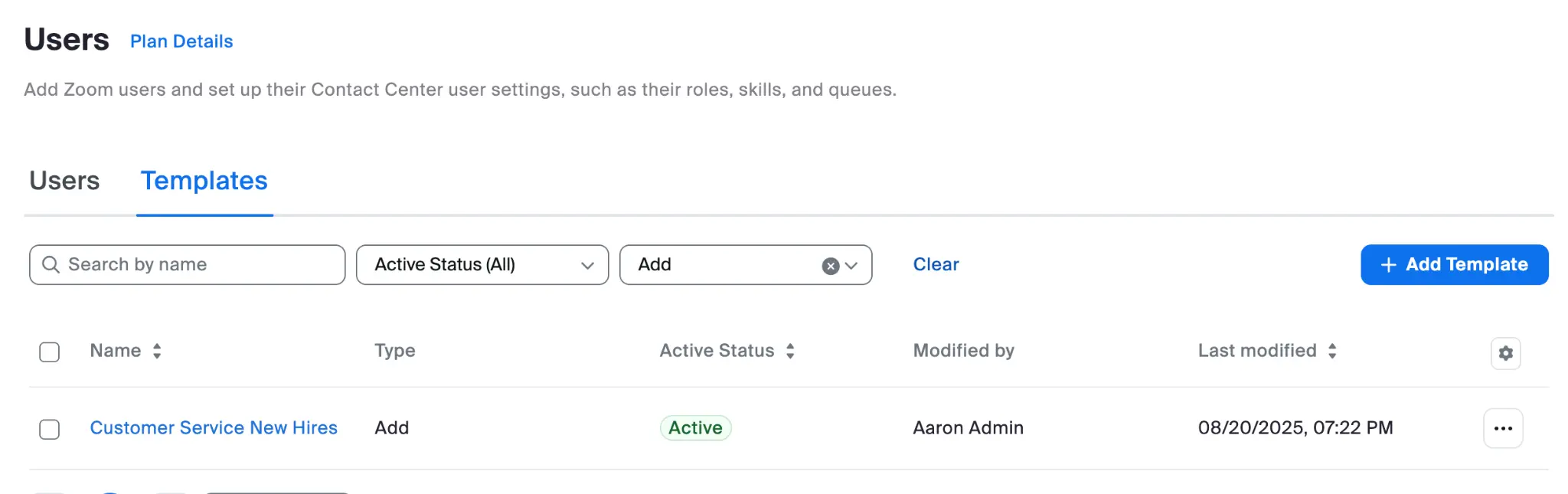
#### مثال على قالب موظف جديد
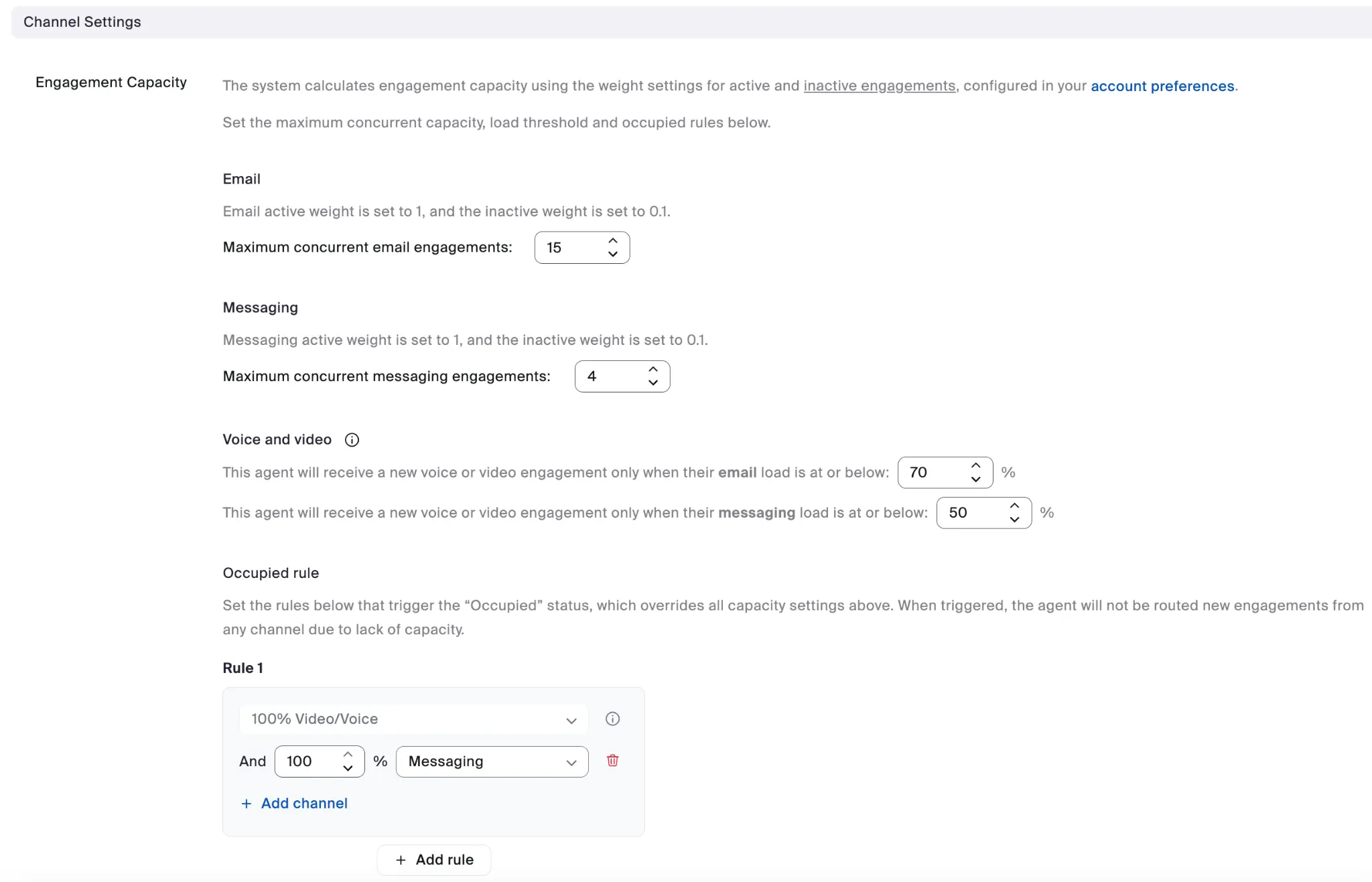
#### مثال على إعدادات القناة
يمكن لكل قالب مستخدم أن يحدد التكوين الكامل لسعة التفاعل في إعدادات القناة.
تشمل فوائد استخدام القوالب:
* تكوين متسق عبر مجموعات الوكلاء
* تبسيط عملية الانضمام للوكلاء الجدد
* يجعل التحديثات الجماعية أسهل عندما تتغير احتياجات العمل
---
# Agent Instructions
This documentation is published with GitBook. GitBook is the documentation platform designed so that both humans and AI agents can read, navigate, and reason over technical content effectively. Learn more at gitbook.com.
## Querying This Documentation
If you need additional information that is not directly available in this page, you can query the documentation by asking a question.
Perform an HTTP GET request on the following URL with the `ask` and `goal` query parameters:
```
GET https://library.zoom.com/technical-library/technical-library-ar/khdmat-alaamal/zoom-contact-center/expert-insights/configuring-agent-occupied-rules/implementation-best-practices.md?ask=&goal=
```
`ask` is the immediate question: it should be specific, self-contained, and written in natural language.
`goal` is what the user is ultimately trying to achieve, the reason they need the answer. Sharing it helps GitBook give you a better, more relevant answer. A goal is most helpful when it describes the outcome the user wants rather than restating the question. For example, with `ask=how do I create an API token`, a goal like `automate deployments from our CI pipeline` lets GitBook tailor the answer to that use case.
The response will contain a direct answer to the question and relevant excerpts and sources from the documentation.
Use this mechanism when the answer is not explicitly present in the current page, you need clarification or additional context, or you want to retrieve related documentation sections.