> For the complete documentation index, see [llms.txt](https://library.zoom.com/llms.txt). Markdown versions of documentation pages are available by appending `.md` to page URLs; this page is available as [Markdown](https://library.zoom.com/technical-library/ja/bijinesusbisu/zoom-workforce-management/workforce-management-explainer/agent-experience.md).
# エージェント体験
このセクションでは、ワークフォース管理におけるエージェント体験の概要を簡単に説明します。
## スケジュールを表示
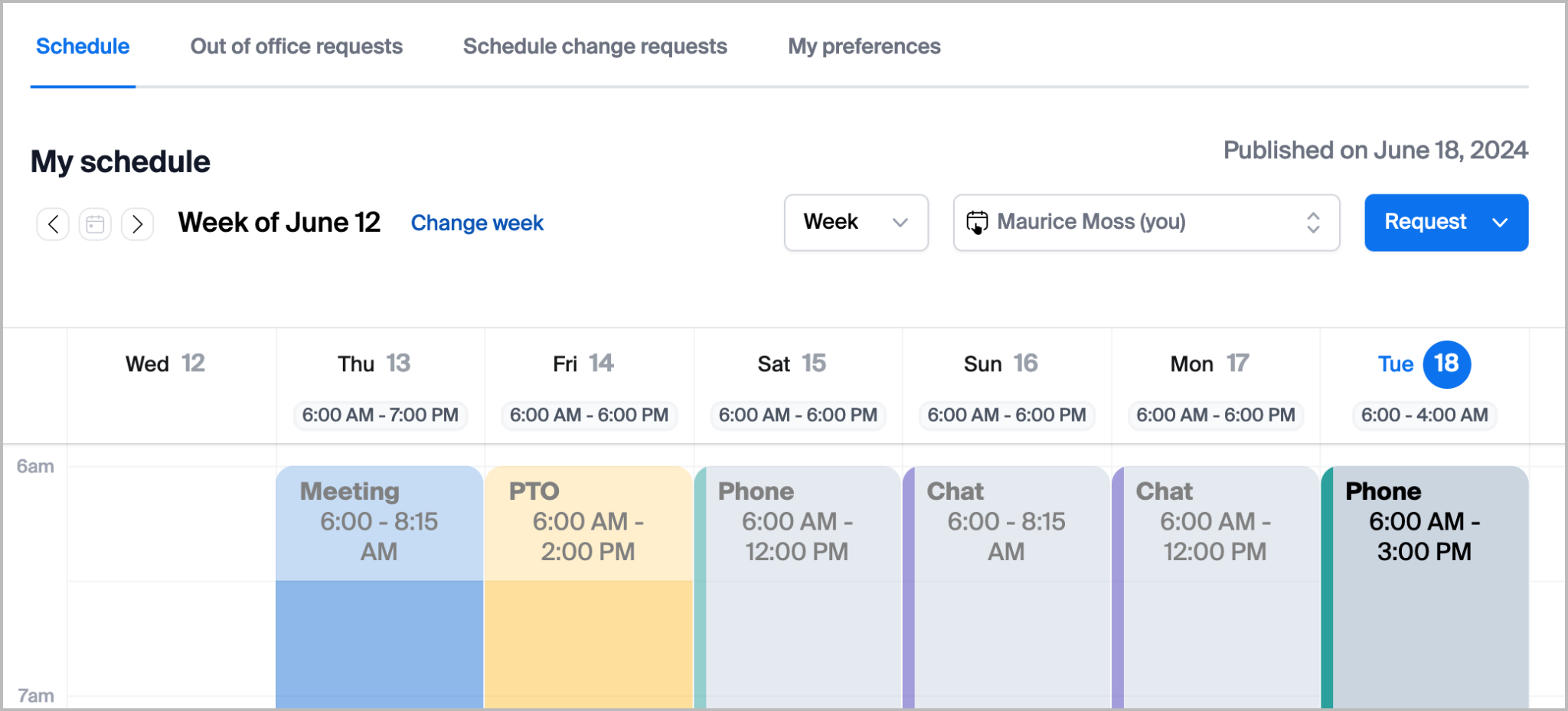
ウェブポータルとZoom Workplaceアプリケーション(バージョン6.7.5以降)のどちらからでも、ワークフォース管理のエージェントは、シフト時間中に予定されているアクティビティを含む公開済みのスケジュールを確認できます。許可されたエージェントは、同じスケジュール作成グループ内の他のエージェントのスケジュールも確認できます。
## スケジュール変更リクエスト
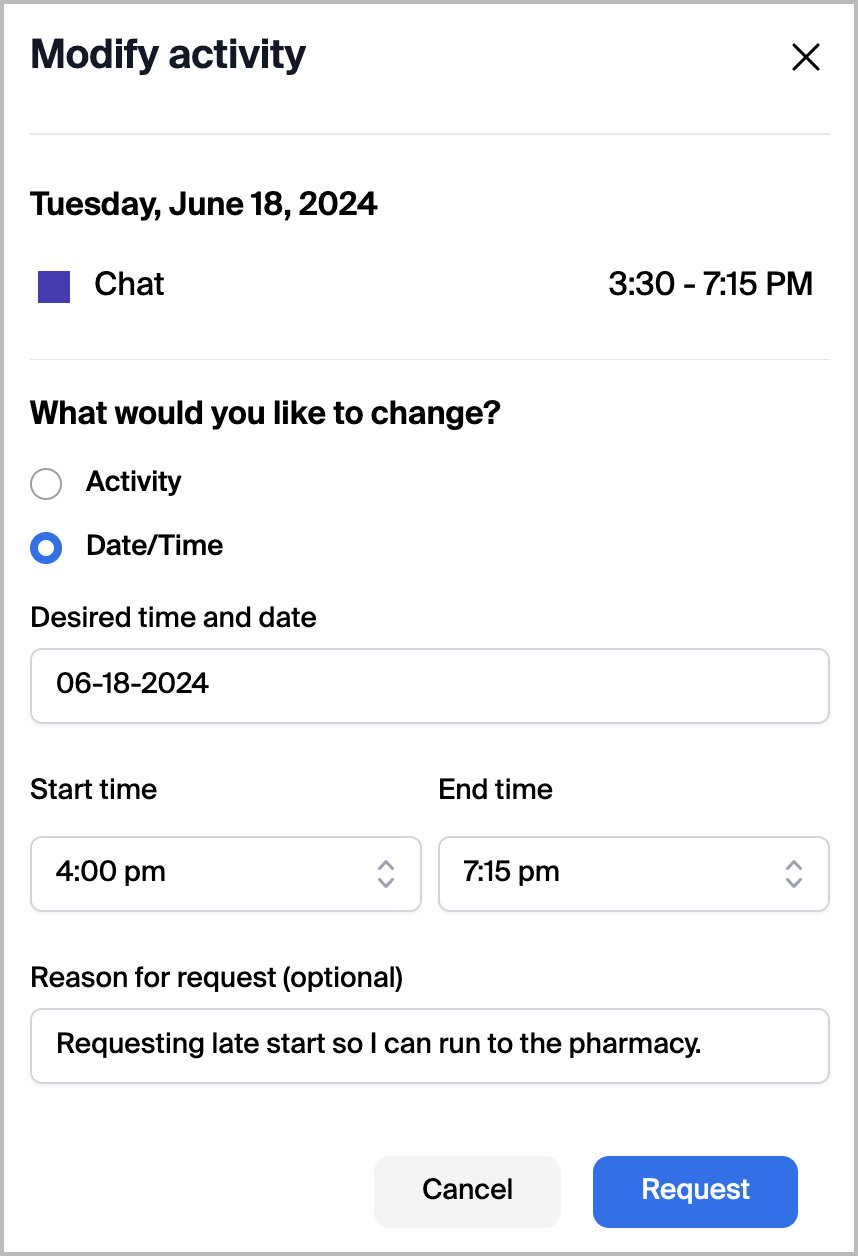
許可されたエージェントは、スケジュールから予定されているアクティビティの追加、変更、削除、またはアクティビティの開始時刻や終了時刻の変更をリクエストできます。これにより、予期しない事態が発生した場合や休憩時間を別の時間に移動したい場合に、エージェントはスケジュールの臨時変更を柔軟にリクエストできます。スーパーバイザーが承認すると、変更されたアクティビティがユーザーのスケジュールに自動的に反映されます。
## 不在リクエスト
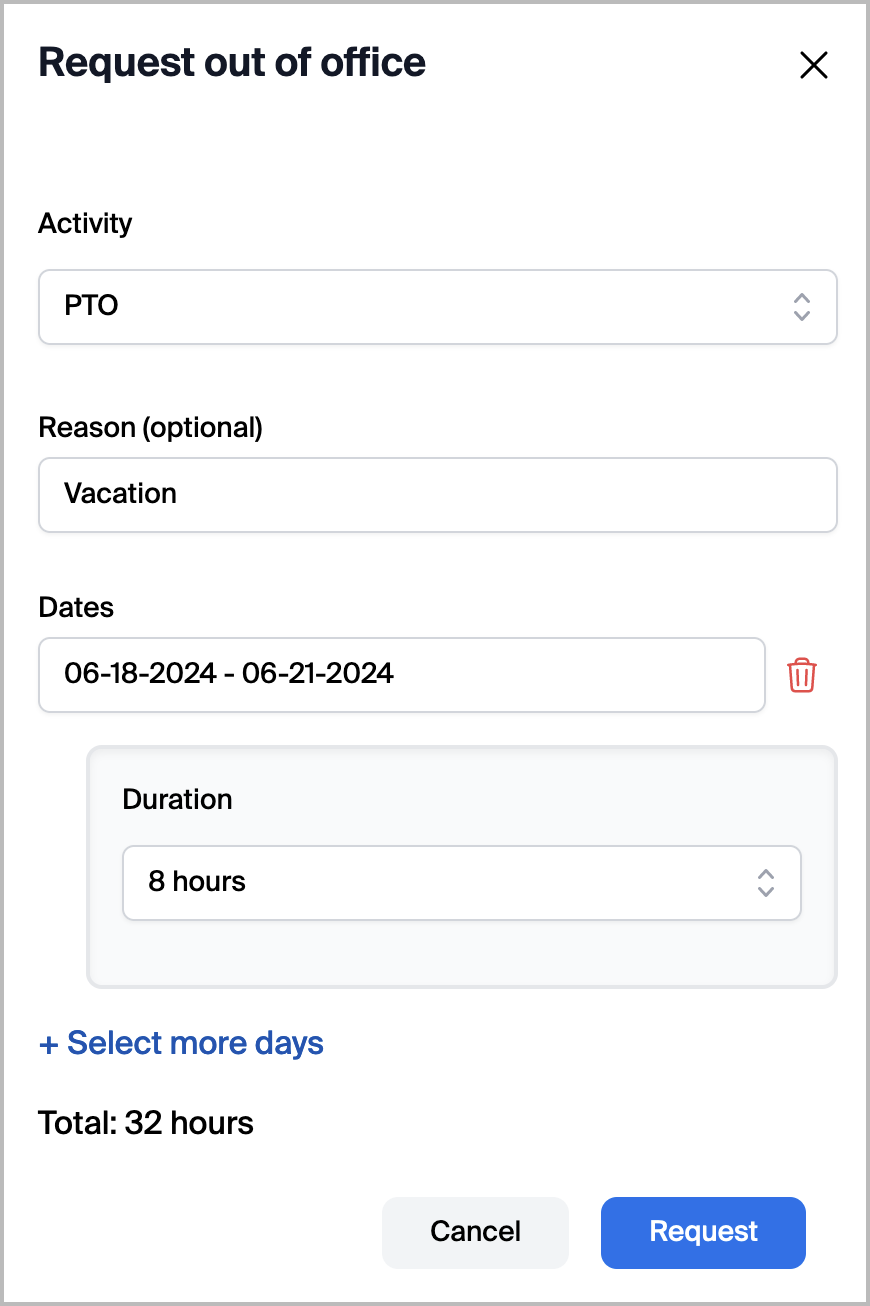
スケジュール変更リクエストと同様に、エージェントはワークフォース管理のウェブポータルから休暇をリクエストできます。スーパーバイザーが承認すると、該当する不在アクティビティがユーザーのスケジュールに自動的に反映されます。
## エージェントボード
#### エージェントはエージェントボードを使用して、シフトの機会にアクセスし、スケジュールの変更を管理できます。
エージェントボードでは、エージェントが利用可能なシフトのオファーを確認し、送信した申請を追跡し、スーパーバイザーからのメッセージに返信できるワークスペースが提供されます。エージェントはエージェントボードを使って、追加シフトへの申請、自発的な休暇のリクエスト、他のエージェントとのシフト交換を開始できます。
#### エージェントはスーパーバイザーが作成したオファーに申請します
エージェントボードのインターフェースには、スーパーバイザーが作成したオファーが表示されます。これには、コンタクトセンターの人員が不足している場合の追加シフトや、人員が過剰な場合の自発的な休暇の機会が含まれることがあります。エージェントは利用可能なオファーを確認し、受け入れたいものに申請します。
#### 申請は送信後、承認待ちになります
エージェントがオファーに申請すると、その申請は審査中になります。事前に定められた自動化ルールに基づいて自動承認される申請もあります。一方、スーパーバイザーによる手動承認が必要な申請もあります。エージェントはエージェントボードのインターフェースで、送信した申請のステータスを確認できます。
#### 交換リクエストを使うと、エージェントは交代相手を探せます
特定の交代相手が決まっていない場合、エージェントは交換リクエストを投稿してシフト交換を募ることができます。エージェントボードのインターフェースから交換リクエストを投稿すると、他のエージェントに表示され、交換を提案してもらえます。これは、エージェント同士が個別に交渉する直接の1対1の交換とは異なります。
{% hint style="info" %}
直接交換はエージェントボードのインターフェース外で行われます。エージェントはエージェントボードではなく、スケジュールのインターフェースから他のエージェントと1対1でシフト交換を交渉できます。直接交換は丸1日の交換に限られます。
{% endhint %}
---
# Agent Instructions
This documentation is published with GitBook. GitBook is the documentation platform designed so that both humans and AI agents can read, navigate, and reason over technical content effectively. Learn more at gitbook.com.
## Querying This Documentation
If you need additional information that is not directly available in this page, you can query the documentation by asking a question.
Perform an HTTP GET request on the following URL with the `ask` and `goal` query parameters:
```
GET https://library.zoom.com/technical-library/ja/bijinesusbisu/zoom-workforce-management/workforce-management-explainer/agent-experience.md?ask=&goal=
```
`ask` is the immediate question: it should be specific, self-contained, and written in natural language.
`goal` is what the user is ultimately trying to achieve, the reason they need the answer. Sharing it helps GitBook give you a better, more relevant answer. A goal is most helpful when it describes the outcome the user wants rather than restating the question. For example, with `ask=how do I create an API token`, a goal like `automate deployments from our CI pipeline` lets GitBook tailor the answer to that use case.
The response will contain a direct answer to the question and relevant excerpts and sources from the documentation.
Use this mechanism when the answer is not explicitly present in the current page, you need clarification or additional context, or you want to retrieve related documentation sections.