> For the complete documentation index, see [llms.txt](https://library.zoom.com/llms.txt). Markdown versions of documentation pages are available by appending `.md` to page URLs; this page is available as [Markdown](https://library.zoom.com/technical-library/ja/bijinesusbisu/zoom-contact-center/zoom-customer-experience/analytics-and-reporting/zoom-workforce-management-reports.md).
# Zoom ワークフォース管理レポート
### **履歴アドヒアランス報告**
履歴アドヒアランス報告は、特定の期間におけるエージェントのアドヒアランス実績の概要を提供し、1報告あたり最大30日分を対象とします。
報告に複数日が含まれる場合、最初に指定期間のユーザーの平均アドヒアランスを表示します。スーパーバイザーは、ユーザーの平均アドヒアランス報告を展開し、各日のアドヒアランスを確認できます。
### **スケジュール活動報告**
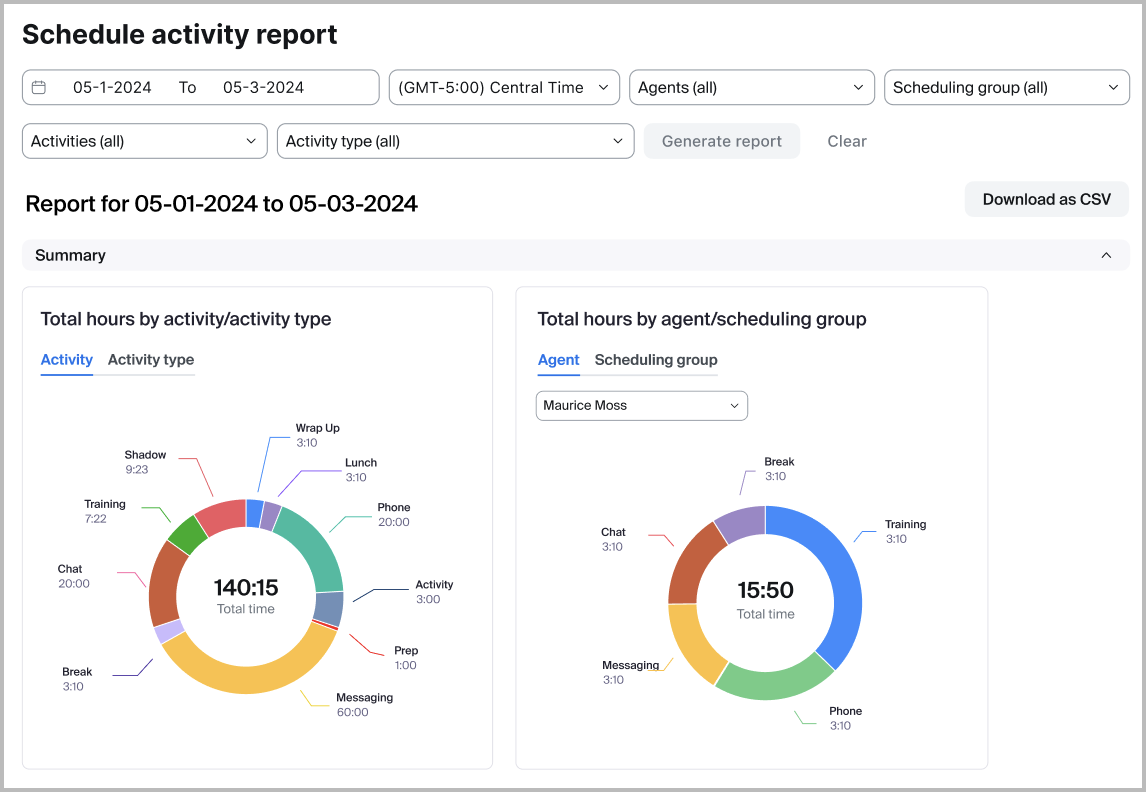
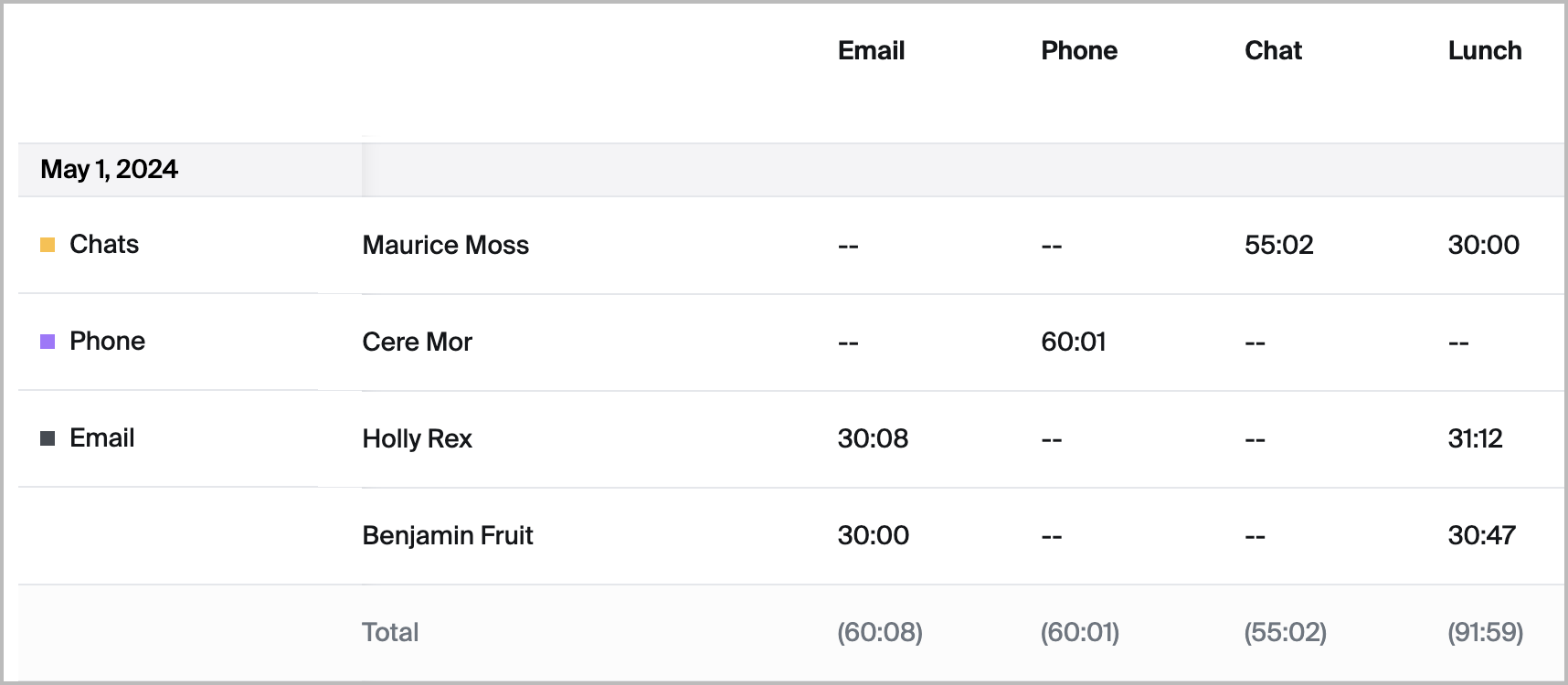
スケジュール活動報告では、過去および将来の日付に対する予定されたエージェントのアクティビティの詳細な概要が提供され、各アクティビティに各日どれだけの時間が割り当てられているかが表示されます。スーパーバイザーは、個人、特定のアクティビティ、およびスケジュール作成グループで報告を絞り込み、適切な要員配置の確保とサービスレベルの維持に役立てることができます。この報告はCSVにもエクスポートでき、作業スケジュールに関する連携や詳細な確認を容易にし、より適切なリソース管理と計画を可能にします。
### **予測値対実績値報告**
スーパーバイザーは、予測値対実績値報告で、選択した期間の予測量、実績量、平均処理時間(AHD)、および要員配置を簡単に比較できます。この報告は、チームが差異を把握し、将来の計画を改善するのに役立ちます。データは日次、週次、月次で表示でき、パーセント差異も含まれます。より正確な要員配置比較のため、スーパーバイザーは短期予測のシフト時間を設定し、1日あたりの固有スタッフ数を算出できます。
### **日中報告**
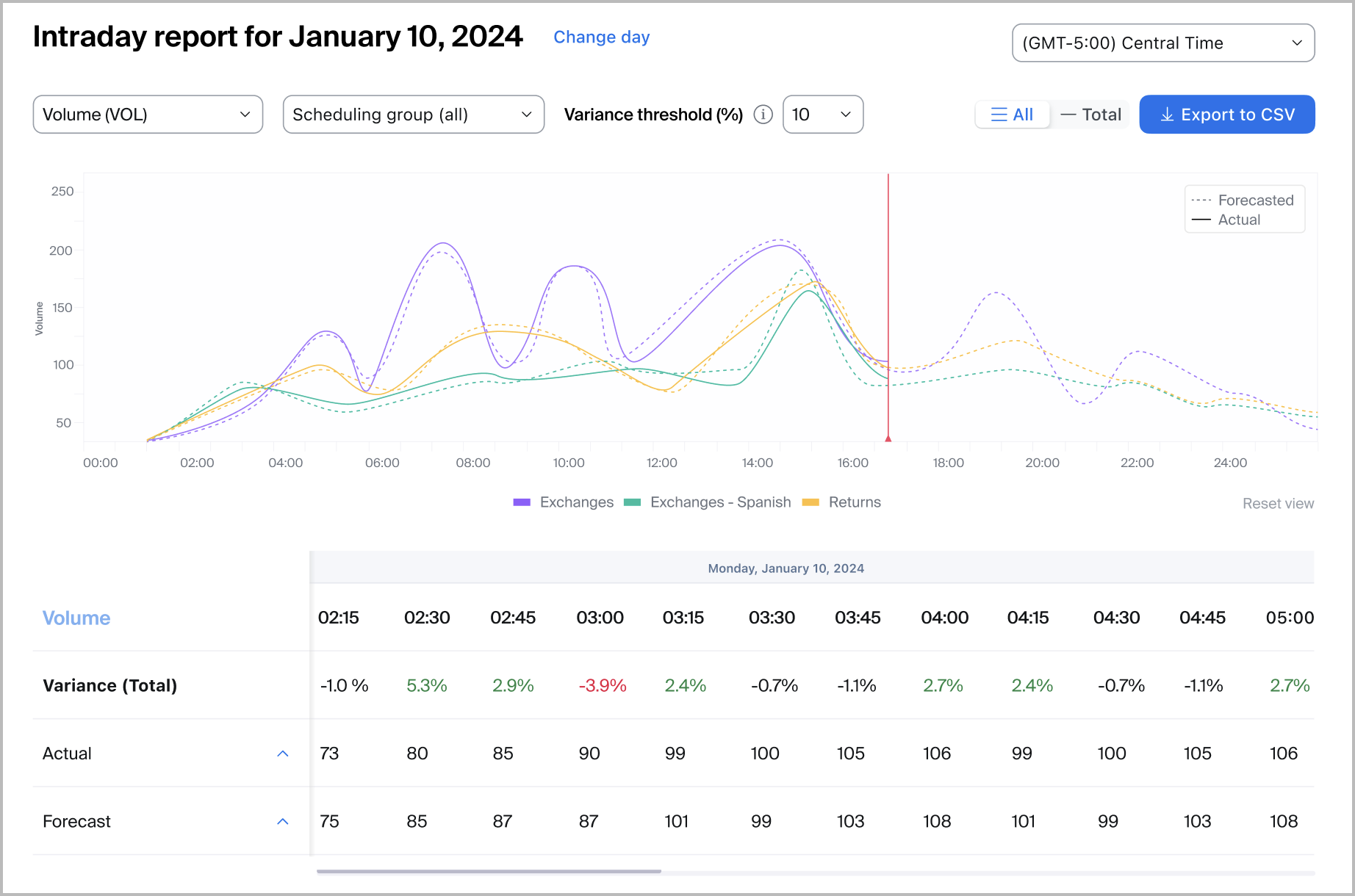
管理者とスーパーバイザーは、日中報告を表示して、スケジュールの予測精度を前日または当日のエンゲージメント量と比較できます。これにより、スーパーバイザーは予測の差異を特定し、ある日のエンゲージメント量が予測から著しく逸脱した場合に動的な要員配置の判断を行えます。
### **監査ログ**
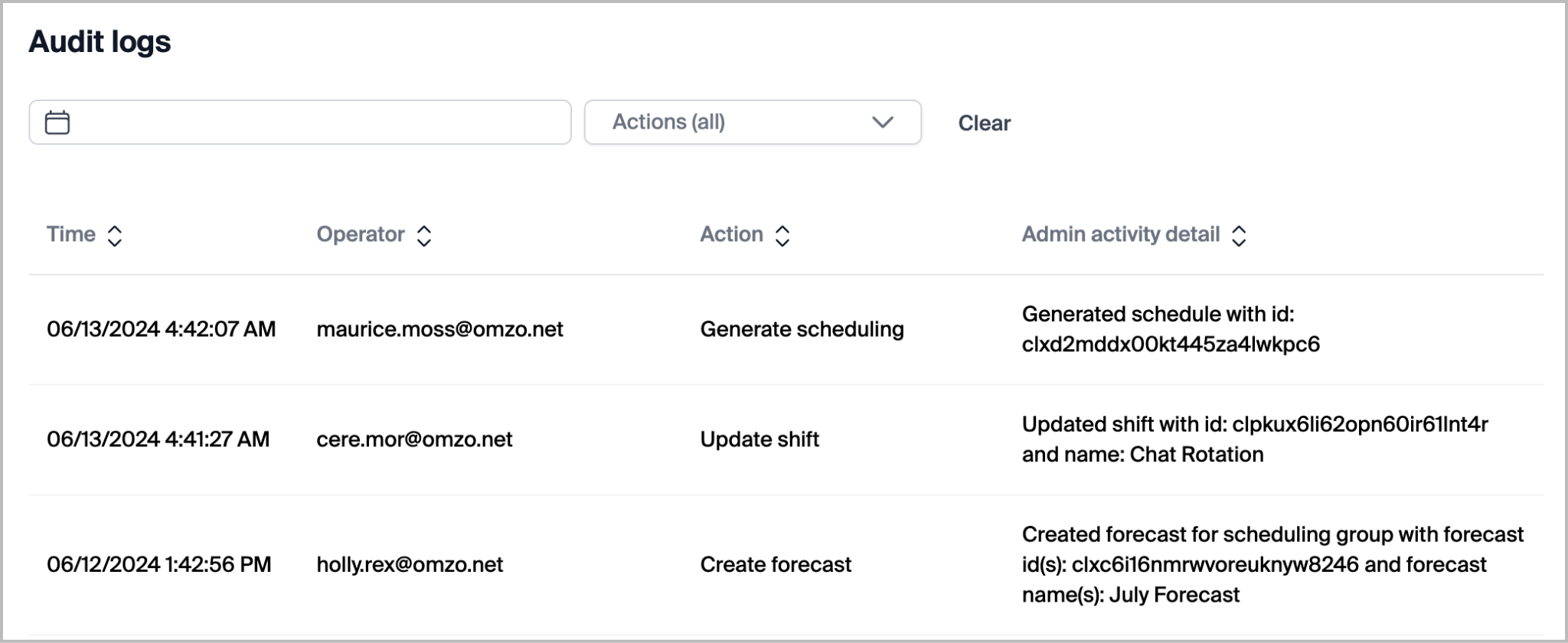
ワークフォース管理の管理者と、十分な権限を持つスーパーバイザーは、監査ログ報告にアクセスできます。この報告には、管理者、スーパーバイザー、およびユーザーが製品内で行った操作の堅牢な一覧が含まれます。監査ログにアクセスできるユーザーは、日付または実行された特定の操作で絞り込むことができます。報告に含まれるログには以下が含まれます:
| - エージェントのスケジュール変更リクエストをキャンセル
- 休暇申請をキャンセル
- アクティビティを作成
- エージェントのスケジュール変更リクエストを作成
- 予測を作成
- キューを作成
- スケジュール作成グループを作成
- シフトを作成
- 休暇申請を作成
- アクティビティを削除
- 予測を削除
- キューを削除
- スケジュール作成グループを削除
- シフトを削除
- 未公開のスケジュールを削除
- スケジュールを複製
| - 週の開始曜日を変更
- スケジュール作成を生成
- 非アクティブなスケジュール
- スケジュールを公開
- スケジュールを再公開
- アクティビティを更新
- エージェントのスケジュール変更リクエストのステータスを更新
- キューを更新
- スケジュール作成グループを更新
- スケジュール作成グループのエージェントを更新
- スケジュール作成グループのキューを更新
- シフトを更新
- シフトのエージェントを更新
- ステータスマッピングを更新
- 休暇申請のステータスを更新
|
| ------------------------------------------------------------------------------------------------------------------------------------------------------------------------------------------------------------------------------------------------------------------------------------------------------------------------------------- | ------------------------------------------------------------------------------------------------------------------------------------------------------------------------------------------------------------------------------------------------------------------------------------------------------------------------------------------------------ |
---
# Agent Instructions
This documentation is published with GitBook. GitBook is the documentation platform designed so that both humans and AI agents can read, navigate, and reason over technical content effectively. Learn more at gitbook.com.
## Querying This Documentation
If you need additional information that is not directly available in this page, you can query the documentation dynamically by asking a question.
Perform an HTTP GET request on the current page URL with the `ask` query parameter, and the optional `goal` query parameter:
```
GET https://library.zoom.com/technical-library/ja/bijinesusbisu/zoom-contact-center/zoom-customer-experience/analytics-and-reporting/zoom-workforce-management-reports.md?ask=&goal=
```
`ask` is the immediate question: it should be specific, self-contained, and written in natural language.
`goal` is optional and describes the broader end goal you are ultimately trying to accomplish on behalf of the user. GitBook uses it to tailor the answer towards what is most useful for that goal.
The response will contain a direct answer to the question and relevant excerpts and sources from the documentation.
Use this mechanism when the answer is not explicitly present in the current page, you need clarification or additional context, or you want to retrieve related documentation sections.